Building a Modern Website
Part 2: Semantic HTML as the Foundation
Semantic HTML as the Foundation
Before styling frameworks or JavaScript libraries enter the picture, we usually spend time getting the document structure right.
Semantic HTML is one of the lowest-effort, highest-impact improvements a project can make early. When structure is correct, accessibility and SEO improvements often come almost automatically.
In the previous article we introduced a simple mental model for thinking about frontend architecture.
Requirements
    ↓
Structure (HTML)
    ↓
Layout & Styling (CSS)
    ↓
Behavior (JavaScript)
    ↓
Enhancement (animations, effects)
Semantic HTML forms the structural layer of that model.
Why this matters long-term
Frameworks and tools evolve quickly, but semantic HTML tends to remain stable for many years. Investing in a strong structural foundation early usually makes the rest of the system easier to maintain.
Content-first thinking
A useful test when building a page is to ask: If CSS were disabled, would the page still be understandable?
If the document still reads logically, the semantic foundation is probably solid.
What semantic HTML means
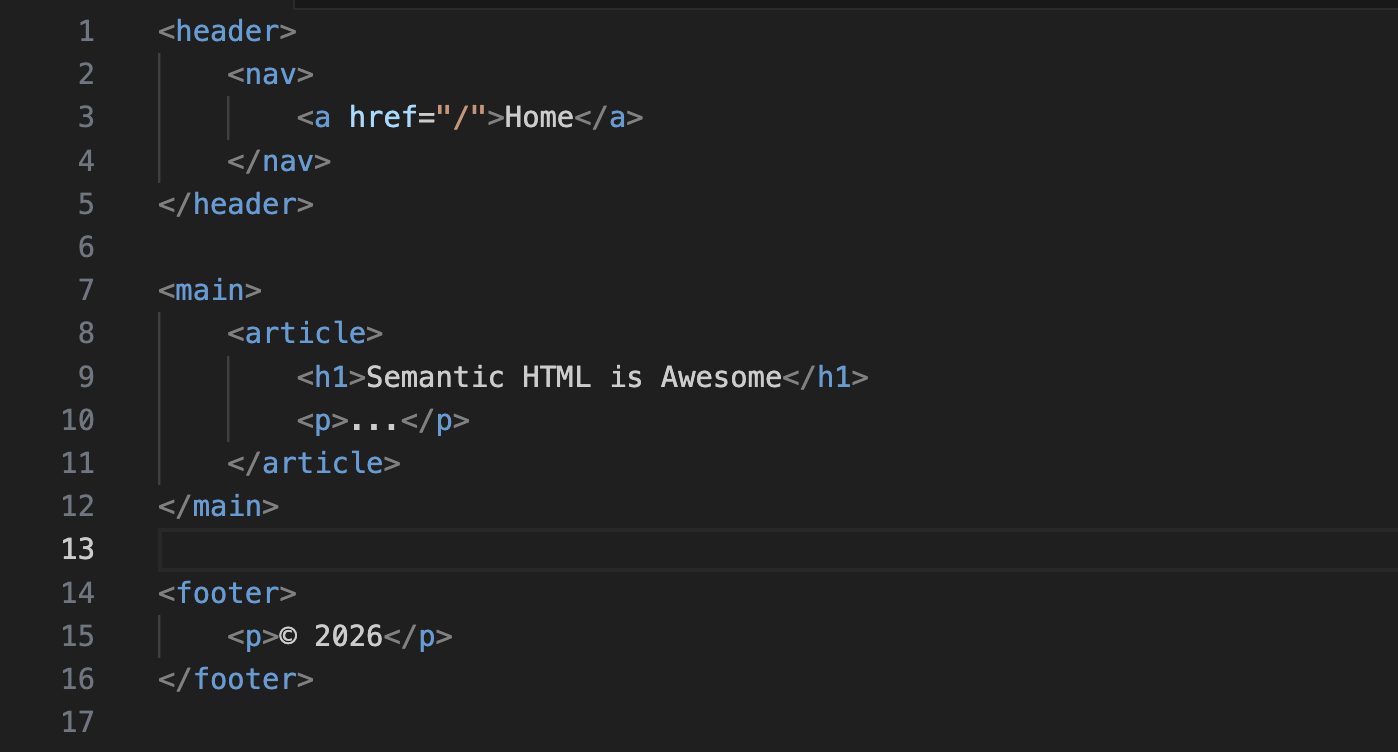
Semantic HTML describes meaning, not appearance.
<header>
  <nav>
    <a href="/">Home</a>
  </nav>
</header>

<main>
  <article>
    <h1>About Semantic HTML</h1>
    <p>...</p>
  </article>
</main>

<footer>
  <p>© 2026</p>
</footer>
These elements provide structure that browsers, search engines, and assistive technologies can understand.
Landmarks improve accessibility
Screen readers allow users to jump between landmarks in a document.
A typical page structure might look like this:
<body>

  <header>
    <nav aria-label="Primary">
      ...
    </nav>
  </header>

  <main>
    <section>
      <h1>Title</h1>
      <p>Content</p>
    </section>
  </main>

  <footer>
    ...
  </footer>

</body>
This makes the page easier to navigate for users who rely on assistive technologies.
Headings define hierarchy
Headings should reflect the logical structure of the document.
<h1>Our Services</h1>

<section>
  <h2>Web Development</h2>
</section>

<section>
  <h2>Consulting</h2>
</section>
A simple rule that works well in practice:
- h1 → page topic
- h2 → main sections
- h3 → subsections
Headings should never be chosen for visual size alone. Styling belongs in CSS.
Native elements before ARIA
Modern HTML already provides many accessible components.
For example:
<button>Contact us</button>Instead of:
<div onclick="openModal()">Contact us</div>Native elements provide built-in behavior like:
- keyboard interaction
- focus handling
- accessibility semantics
ARIA should only be added when native HTML cannot express the behavior.
Summary
Semantic HTML provides the structural foundation of a website. When the document structure is meaningful, many other qualities follow more naturally: accessibility improves, search engines understand the content more clearly, and the codebase becomes easier to maintain over time.
By starting with proper landmarks, logical heading hierarchies, and native HTML elements, we establish a strong base before adding styling or behavior.
In the next part of this series, we'll build on this foundation and explore how layout and visual structure can be implemented using modern CSS while preserving the semantic structure we've established here.